How to set a minimum price from your cost price
A step-by-step guide to the lowest price you are willing to sell at, with the VAT, margin and markup arithmetic worked through on one product.
Corprice6 min read
A minimum price is the lowest price you will sell a product at, no matter what competitors do. If you follow competitor prices by hand or with a repricing tool, the minimum is the one number that protects your margin. This guide shows how to work it out from the cost price, which mistakes to avoid, and how to check the result against the market.
Why the minimum comes first
Most pricing rules are written as “match the cheapest shop” or “be 1 % below the cheapest shop”. Those rules say nothing about how low is too low. Without a minimum, a competitor clearing old stock, a wrong product match or a pricing error on their side can pull your price down with it.
Set the minimum before you set any rule. Then every rule has a floor it cannot go through.
Use the cost price in the same terms as your selling price
Webshop prices in Denmark are shown including 25 % VAT. Cost prices in an accounting system are almost always without VAT. If you compare the two directly, every calculation is wrong by a quarter.
Pick one basis and stick to it. Either add VAT to the cost price, or take VAT off the selling price. The margin in percent is the same either way, because VAT scales both numbers by the same factor.
Also check which cost price you are using. The cost in your shop platform may be an old purchase price typed in once. The cost in your accounting system is usually updated with each purchase. If the two differ, decide which one is the source of truth.
Margin and markup are two different numbers
This is the most common mistake in minimum prices.
- Margin is profit as a share of the selling price: (price − cost) ÷ price.
- Markup is profit as a share of the cost price: (price − cost) ÷ cost.
A 15 % margin is not a 15 % markup. To keep 15 % of the selling price, you need to add 17.6 % to the cost. The conversion is markup = margin ÷ (1 − margin).
| Margin on the selling price | Markup on the cost price |
|---|---|
| 10 % | 11.1 % |
| 15 % | 17.6 % |
| 20 % | 25.0 % |
| 25 % | 33.3 % |
| 30 % | 42.9 % |
If your target is a margin, calculate the minimum as cost ÷ (1 − margin). If a tool asks for a markup, convert first.
A worked example
Example. The numbers below are made up to show the method.
A coffee grinder costs you DKK 400 excluding VAT. Your regular price is DKK 899 including VAT. You want to keep at least 15 % of the selling price.
- Cost including VAT: 400 × 1.25 = DKK 500.
- Minimum for a 15 % margin: 500 ÷ 0.85 = DKK 588.24.
- Round up to whole kroner: DKK 589.
Check it: at DKK 589 including VAT, the price without VAT is DKK 471.20. Take off the cost of DKK 400 and DKK 71.20 is left, which is 15.1 % of DKK 471.20.
Had you added a 15 % markup instead, the minimum would have been 500 × 1.15 = DKK 575, a margin of 13 %.
Costs that are not in the cost price
The cost price covers the product. It does not cover card fees, packaging, free shipping you pay for, or returns. If those costs are significant for a product, put them into the target margin rather than ignoring them.
Example. Card fees of about 2 % of the order (an assumed figure) mean that a 15 % target becomes 17 %. The minimum for the grinder is then 500 ÷ 0.83 = DKK 602.41, rounded up to DKK 603.
Free shipping is the cost that most often turns a profitable minimum into a loss on cheap products. If you pay DKK 45 for a parcel and ship free above a limit, a DKK 250 product sold at its minimum may not cover it. For low-priced products, a fixed minimum in kroner can be easier to reason about than a percentage.
Check the minimum against the market
A minimum based only on cost can be far below where the market has actually been. If every competitor has sold the grinder between DKK 649 and DKK 749 for the last three months, a minimum of DKK 589 gives a rule room to drop DKK 60 below anything the market has asked for.
Look at the lowest competitor price over a period, not just today’s. If your cost-based minimum is well below it, consider raising the minimum to just under that level. You keep the margin protection and avoid starting a price drop nobody asked for.
The opposite also happens: the whole market sits below your minimum. That usually means one of three things. Your cost price is out of date, competitors buy cheaper than you, or someone is clearing stock. Check before you lower the minimum.
When the cost price comes from your accounting system
Corprice imports cost prices from your shop, or reads them from Business Central, e-conomic or Uniconta. The accounting integrations are read only. Cost prices from an accounting system are stored without VAT there, so Corprice adds your shop’s VAT rate before comparing them with consumer prices. You choose per workspace whether the shop’s cost price or the accounting system’s comes first.
There are two ways to set the minimum:
- In the repricing rule. The minimum is either a fixed price or the cost price plus a markup. Note that this field is a markup, so use the table above if your target is a margin.
- From suggested limits. Corprice suggests a minimum and maximum per product from a target margin on the selling price (15 % unless you change it). The suggested minimum is never below the cost price. If competitors have been higher, it stays within 5 % of the lowest competitor price seen in the last 90 days instead of dropping all the way to the cost-based floor. Each suggestion comes with the reason.
The suggested maximum is your regular price, since Corprice never prices above it. If your regular price is more than 25 % above the median of at least two competitors, the maximum is capped at 15 % above that median.
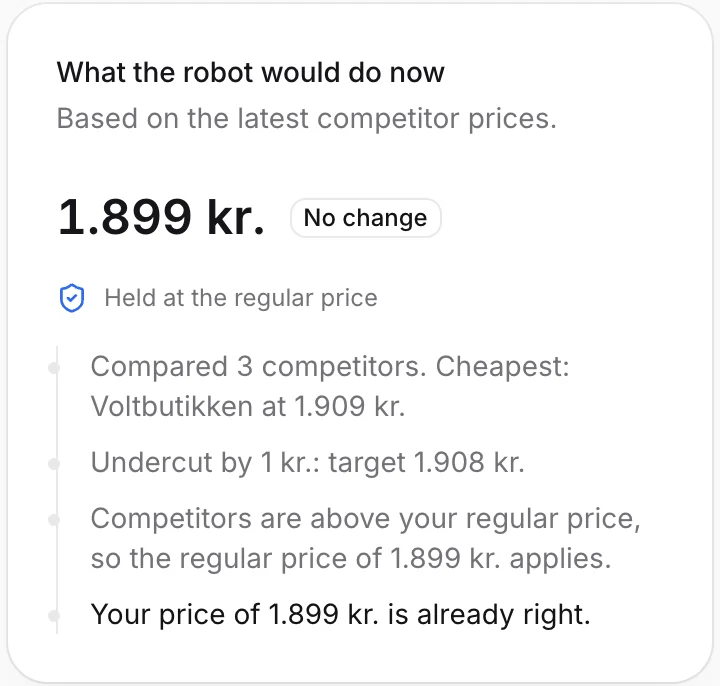
When a rule hits a limit, the explanation says so: which offers were compared, which rule applied and which limit stopped it. With approval switched on, you see the proposed price before it reaches your shop.
Before you save the minimum
- Use cost and selling price on the same VAT basis.
- Decide whether your target is a margin or a markup, and convert if needed.
- Add card fees, shipping and returns to the target where they matter.
- Round the minimum up, not down.
- Compare the minimum with the lowest competitor price over the last months.
- Review minimums when supplier prices change.
Read more about the rules and limits on the repricing page.