Setting up competitor monitoring for a webshop in a day
A plan for one working day, from connecting the shop to the first alert, with what to decide at each step and what to leave for later.
Corprice5 min read
Competitor monitoring does not need a project plan. Most of the work is deciding which products and competitors matter, and checking that the matches are right. This guide splits it into one working day. The times are rough; a shop with clean EAN data will be faster, a shop without will spend longer on matching.
Before you start
Have these ready:
- Admin access to your shop, so you can create an API key. Or the URL of a Google Shopping product feed if you do not want to give API access.
- A short list of competitors you already know you lose sales to. Five to ten names is enough.
- Your best sellers, or a report of revenue per product for the last few months.
- Access to your accounting system if your cost prices live there rather than in the shop.
Hour 1: Connect the shop
In Corprice you connect Shopify, WooCommerce, Magento or PrestaShop with an API key, or a Google Shopping product feed. Nothing is installed in the shop and the theme is not touched. Corprice tests the connection before it saves anything.
Products, regular and sale prices, cost prices, EANs, brands and categories are imported and kept in sync. Prices are stored including VAT, with the VAT rate set per shop, so a B2B shop that shows prices without VAT works too.
Once the import is done, spot-check a few products. Are the prices what a customer sees? Do the products have EANs? Missing EANs are the main thing that will slow down the next steps.
Hour 2: Decide which products to track
You do not need to track everything on day one. Start with the products where price matters most:
- Your best sellers by revenue.
- Products that are sold by many shops and listed on price comparison sites.
- Products where you suspect you are too expensive, or too cheap.
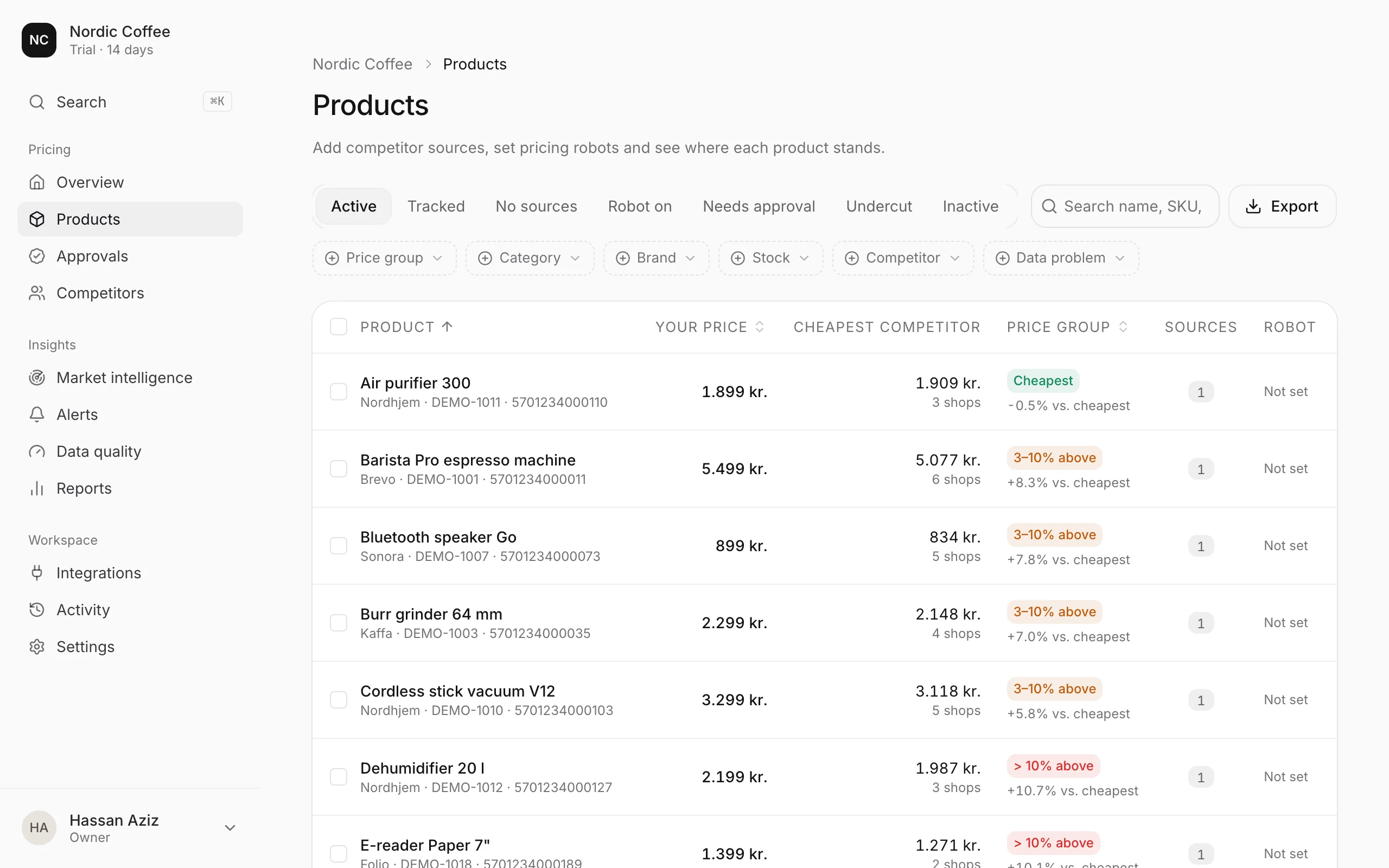
A product counts towards your plan once it has at least one competitor source. Products without competitors are imported and visible, but do not count. The free plan covers 5 products, Starter 1,000, Growth 5,000 and Scale 10,000.
Example. A shop with 3,000 products might start with its 300 best sellers. That fits on Starter, and the rest can be added once the first week’s numbers make sense.
Hours 3 and 4: Find the products at your competitors
This is the step that takes the most care.
Products with an EAN are looked up on PriceRunner, which lists most Danish and Swedish shops. Every shop on that product page is found in one go.
Products without an EAN are searched for in competitors’ catalogs. Corprice compares name, size, colour, price level and photo, and suggests matches. Matches it is unsure of wait for your approval. A different size, colour or pack size is never counted as the same product.
Anything still missing can be added by pasting the competitor’s product page.
Go through the suggested matches before you look at any prices. One wrong match gives you a false gap, a false alert and, if repricing is on, a wrong price. It is faster to reject ten doubtful suggestions now than to explain one strange price change later.
On Free you can follow up to 5 competitors per product, and on the paid plans the number is unlimited. Corprice suggests the most relevant ones, and you can swap them at any time.
Hour 5: Look at the first prices
Every competitor page is checked once a day. When you need a fresh price straight away, press “Check prices” on a product or a list of products. That counts as an on-demand check: 100 a month on Free and 5,000 a month on the paid plans.
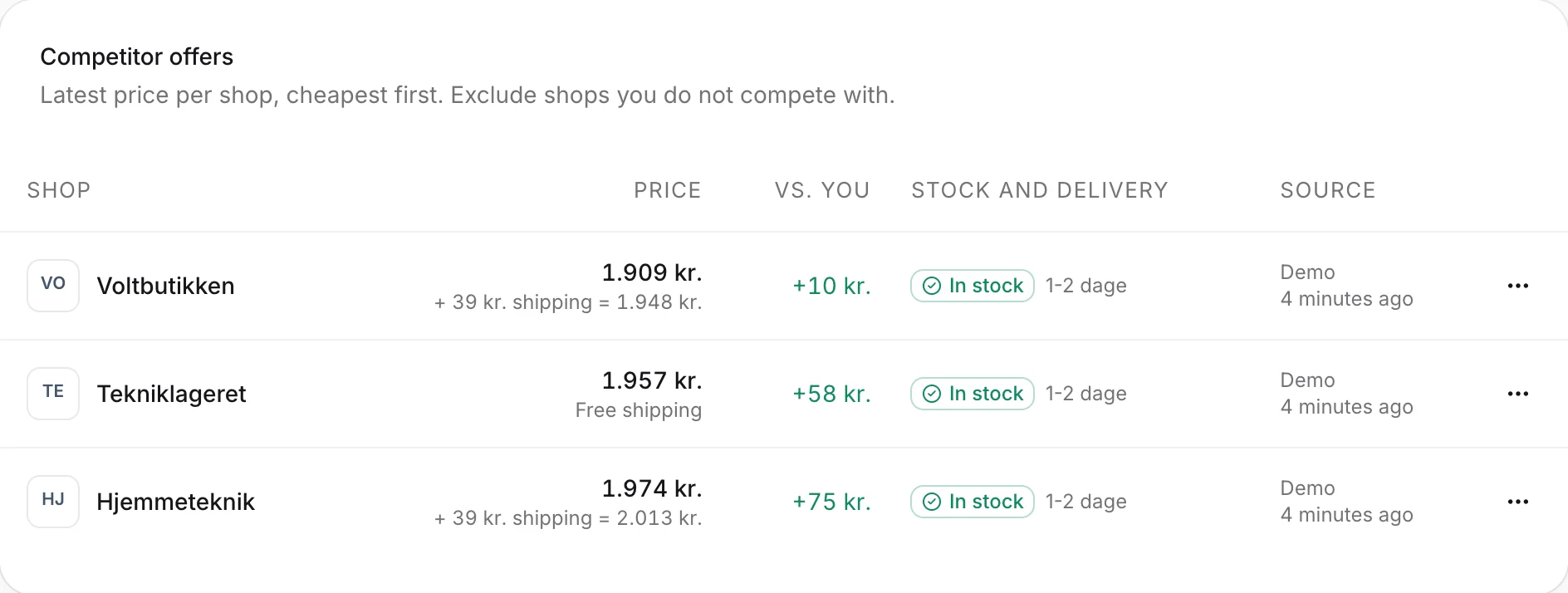
For each product, look at your price, the cheapest competitor and the gap in kroner and percent. Then look past the price:
- Stock. A cheaper shop that is sold out is not taking your sales today.
- Delivery time. A lower price with two weeks’ delivery is a different offer.
- Shipping. Compare what the customer pays in total.
- Before-price. If a competitor shows a price it was reduced from, it is a campaign and will probably end.
Hour 6: Set up two or three alerts
Alerts are where monitoring starts to save time. Start small, or you will start ignoring them.
- A competitor goes below your price, on your most important products, sent instantly by email.
- Campaigns started and ended, in a weekly digest to a Slack, Microsoft Teams or Mattermost channel.
- A run failed, so you know if a sync or price check stopped working.
Each rule can be limited to certain competitors, product tags, changes above a percentage, or only undercuts. Add more once you know which ones you act on.
Hour 7: Cost prices and suggested limits
If your cost prices are in Business Central, e-conomic or Uniconta, connect it now. Corprice only reads from these systems. Cost prices from an accounting system are without VAT, so Corprice adds your shop’s VAT rate.
With cost prices in place, you can see your margin at today’s price on every product and get a suggested minimum and maximum price per product. You do not need to use them yet, but they show quickly which products have no room to follow a competitor down. Our guide on setting a minimum price from your cost price goes through the arithmetic.
Hour 8: Repricing, if you want it
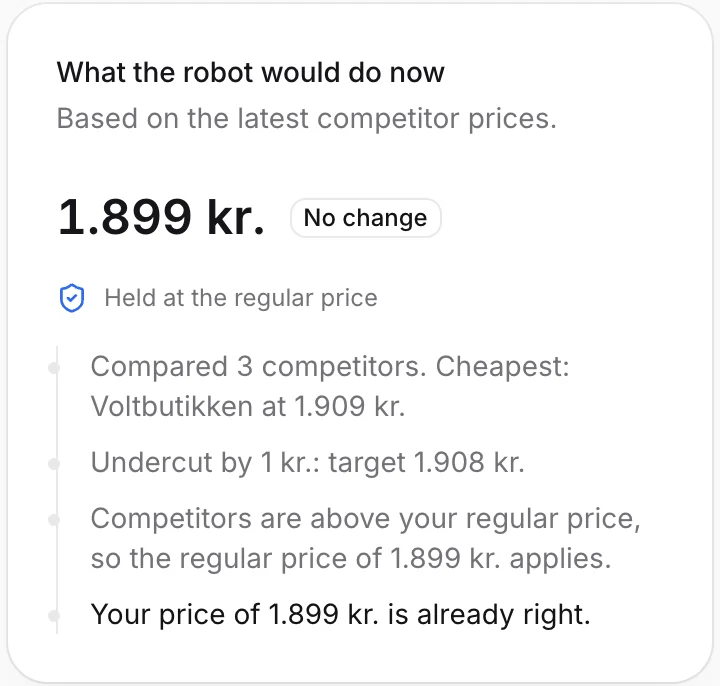
Repricing is optional. Many shops only use monitoring and alerts. If you want to try it, pick a small group of products, choose a rule (match the cheapest competitor, or go below it by an amount or a percentage), set a minimum, and keep approval switched on. Proposed prices then wait for you, with an explanation of how each was calculated, before anything reaches the shop.
The first week
- Day 2. The first daily check has run. Look at the alerts you received and turn off any you did not act on.
- Day 3 to 5. Review new match suggestions and add the products you left out on day one.
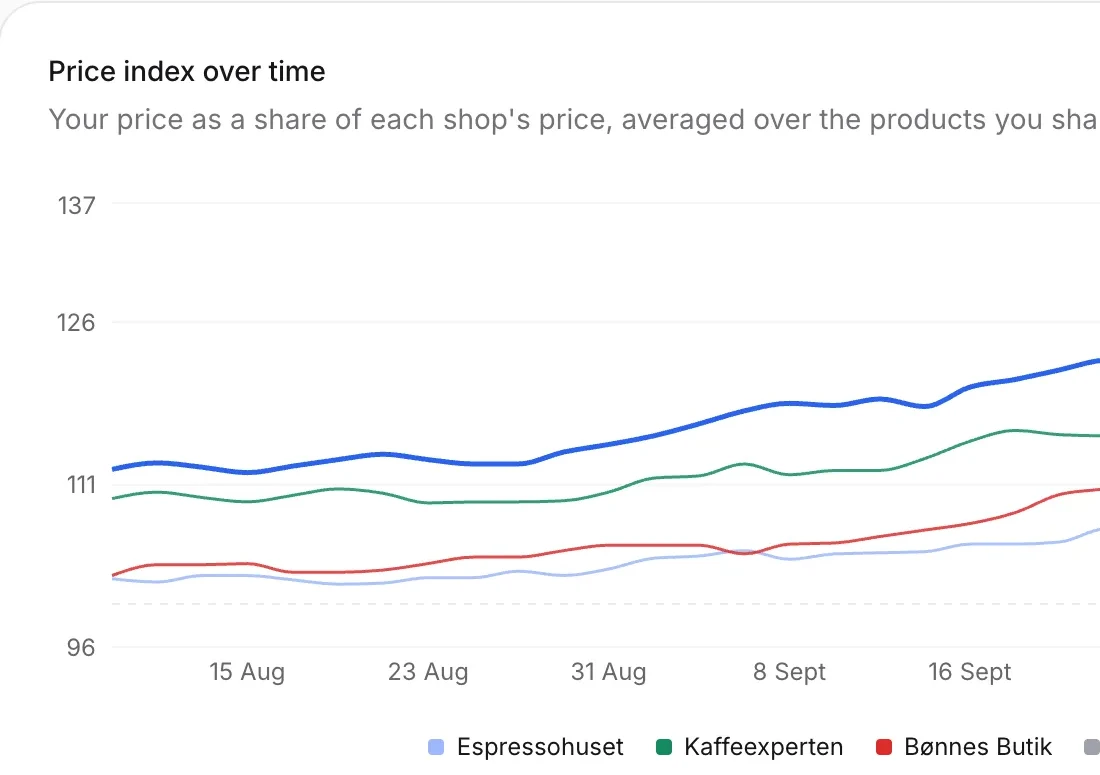
- End of the week. Look at the price index per competitor. You now have a baseline to compare the next weeks against.
The free trial runs for 14 days with every feature, so the first day and the first week fit well inside it. See how it works for the steps in the app.